epita-ing1-setup
Dev environment for the EPITA PIE. The PIE wipes your home every session
but runs ~/afs/.confs/install.sh at each login; this kit lives there
and re-links itself, so it follows you to every machine on every campus.
curl -fsSL https://raw.githubusercontent.com/KazeTachinuu/epita-ing1-setup/master/setup.sh | sh
Log out, log back in. Re-run any time to update.
- vim: clangd LSP (definition, references, rename, inline
diagnostics, code actions), auto-pairs, snippets (
main<Tab>), format-on-save with the moulinette's.clang-format - bash: git-aware prompt,
cc99/ccsanwith the moulinette's flags (-Werror, ASAN+UBSAN),cctest/cccovfor criterion,submit <tag>(clean-tree + format gate, annotated tag, push) - style:
coding-style-check, a 54-rule linter for what clang-format cannot check - git:
ignore, appends school-provided files from exercise PDFs to your.gitignore(epita-gitignore) - gdb: history, pretty-print, GEF
- search: fzf (fuzzy
Ctrl-Rhistory,Ctrl-Tfiles), fd, ripgrep,bat(syntax-highlighted file viewer),tldr, readline prefix history search on the arrows - tmux, alacritty, starship with my prompt config
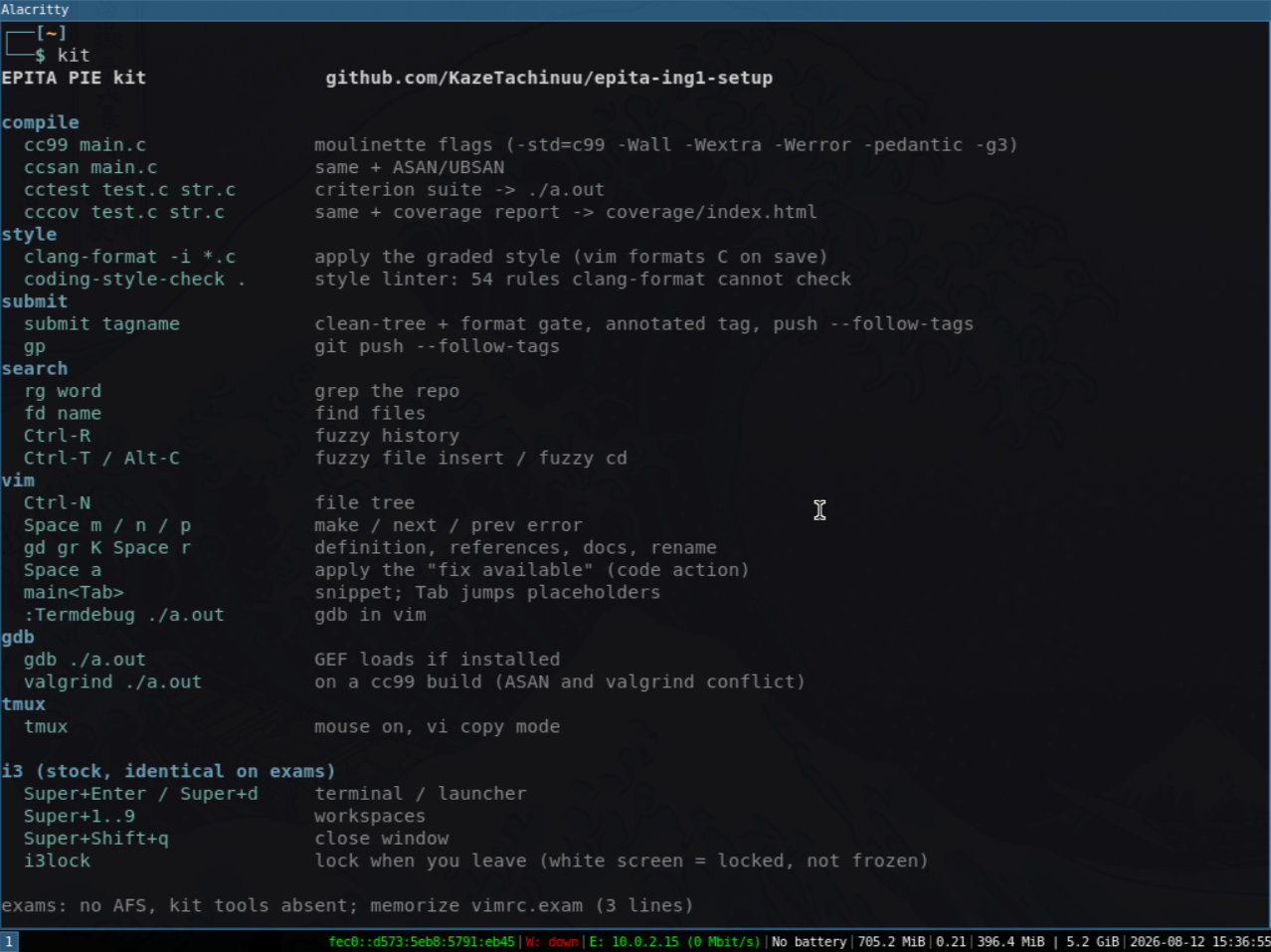
kit: one-screen cheatsheet of all of the above
Configs are fetched from a pinned commit; binaries (starship, fzf, fd,
rg, bat, tldr, GEF) are checksum-verified. PIE_MINIMAL=1 skips the
downloads.
Exams
Exam machines have no AFS and no network; nothing above exists there.
Memorize 3 lines (vimrc.exam), line 1 first: writing any ~/.vimrc
disables the built-in defaults.vim, and line 1 turns it back on.
source $VIMRUNTIME/defaults.vim
set nu et sw=4 sts=4 cc=80
set hls ic scs cb=unnamedplus